
Quick BulkFileDelete

Clear oversized folders fast without letting cleanup stall the rest of your day.
Built for the folders Windows struggles with
Quick BulkFileDelete is tuned for directory trees that are painful to remove through the default file explorer. Temporary builds, dependency folders, stale caches, and large archives can be cleared with better speed, clearer verification, and less of the freezing that slows down cleanup work.
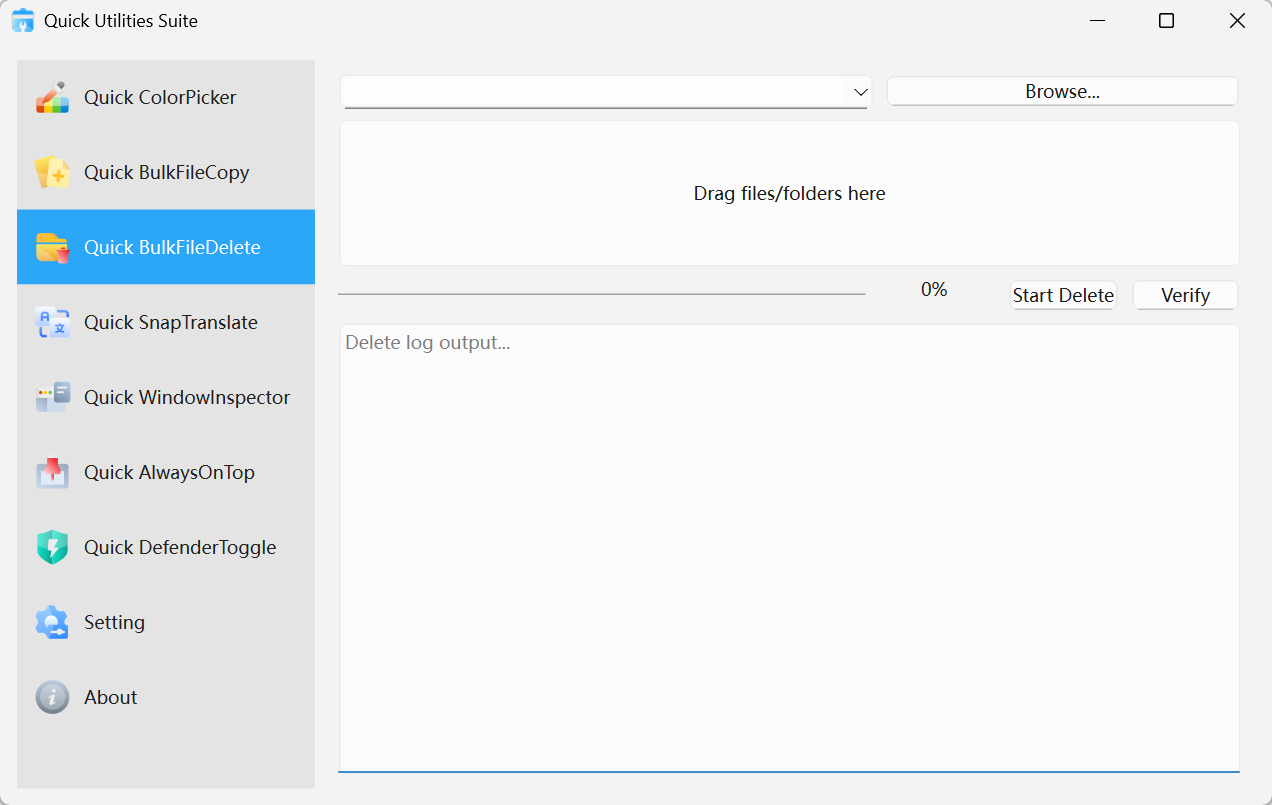
Quick BulkFileDelete · Interface Preview
Why it feels more professional
High-speed deletion engine
Processes large numbers of small files faster than the standard path that often gets stuck calculating.
Pre-delete review and logging
Review the target path before execution and keep an operation record for traceability.
A cleaner way to keep systems tidy
Makes routine cleanup work feel deliberate instead of disruptive.
Where it earns its keep
Development environments
Remove build folders, package caches, and dependency trees quickly between iterations.
Operations and IT
Clean temporary payloads, archives, and old deployment outputs more efficiently.
General maintenance
Reclaim disk space from large stale folders without fighting the file explorer.
Get started in seconds
Select the folder or files
Add the items you intend to remove by drag-and-drop or manual selection.Confirm the target
Review the path list carefully before running a permanent cleanup.Execute the deletion
Start the operation and watch progress complete with far less waiting.