
Quick BulkFileCopy

Move large collections of small files at a pace that respects your time.
Purpose-built for heavy file workflows
Quick BulkFileCopy is designed for the moments when Windows Explorer becomes the bottleneck. Large dependency trees, mirrored asset folders, software packages, and archive sets can be copied with less waiting, clearer progress visibility, and a workflow that feels dependable under pressure.
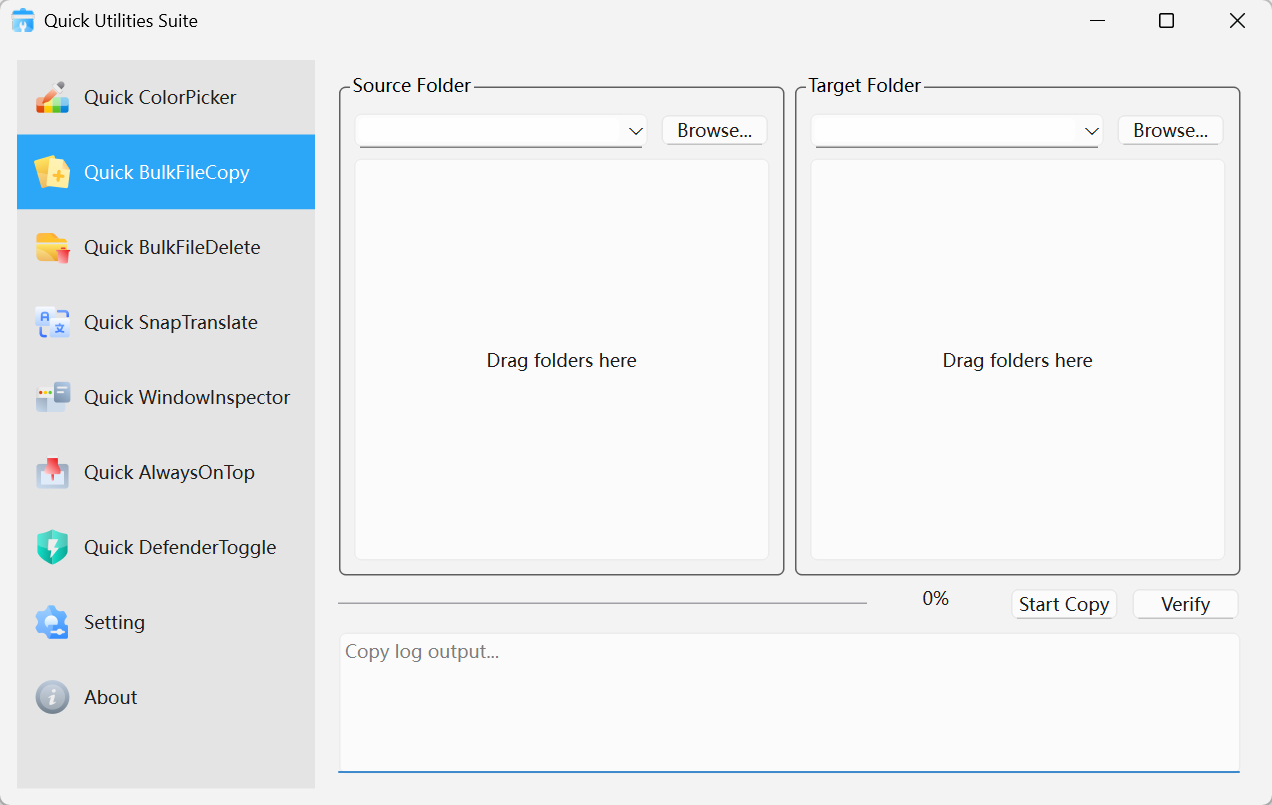
Quick BulkFileCopy · Interface Preview
Why it earns a place in the toolkit
Optimized for high file-count directories
Handles folders such as node_modules, vendor packages, caches, and generated assets more efficiently than general-purpose copy tools.
Integrity verification after transfer
Automatic verification helps confirm that what arrived at the destination matches the source.
Simple operation, professional confidence
Drag-and-drop, progress feedback, and path history help teams repeat file operations with less friction.
Where it pays off
Developers
Duplicate large project trees for testing, backup, packaging, or migration without wasting cycles.
IT deployment teams
Prepare software payloads and configuration bundles with a faster repeatable copy workflow.
Content and media teams
Move asset-heavy working folders while keeping confidence in the final result.
Get started in seconds
Choose the source
Drag in the folder you want to copy or browse to it manually.Set the destination
Point the job to the target path you want to populate.Run and verify
Start the copy, monitor the progress, and let the post-copy checks confirm completion.