
Quick BrightnessSync

Professional brightness control for multi-monitor Windows desktops.
Built for the desks that keep touching monitor buttons
Quick BrightnessSync replaces the slow ritual of reaching for every monitor button. By talking directly to supported displays through DDC/CI, it gives you a fast, consistent way to tune brightness across your setup and keep visual comfort under control from morning to night.
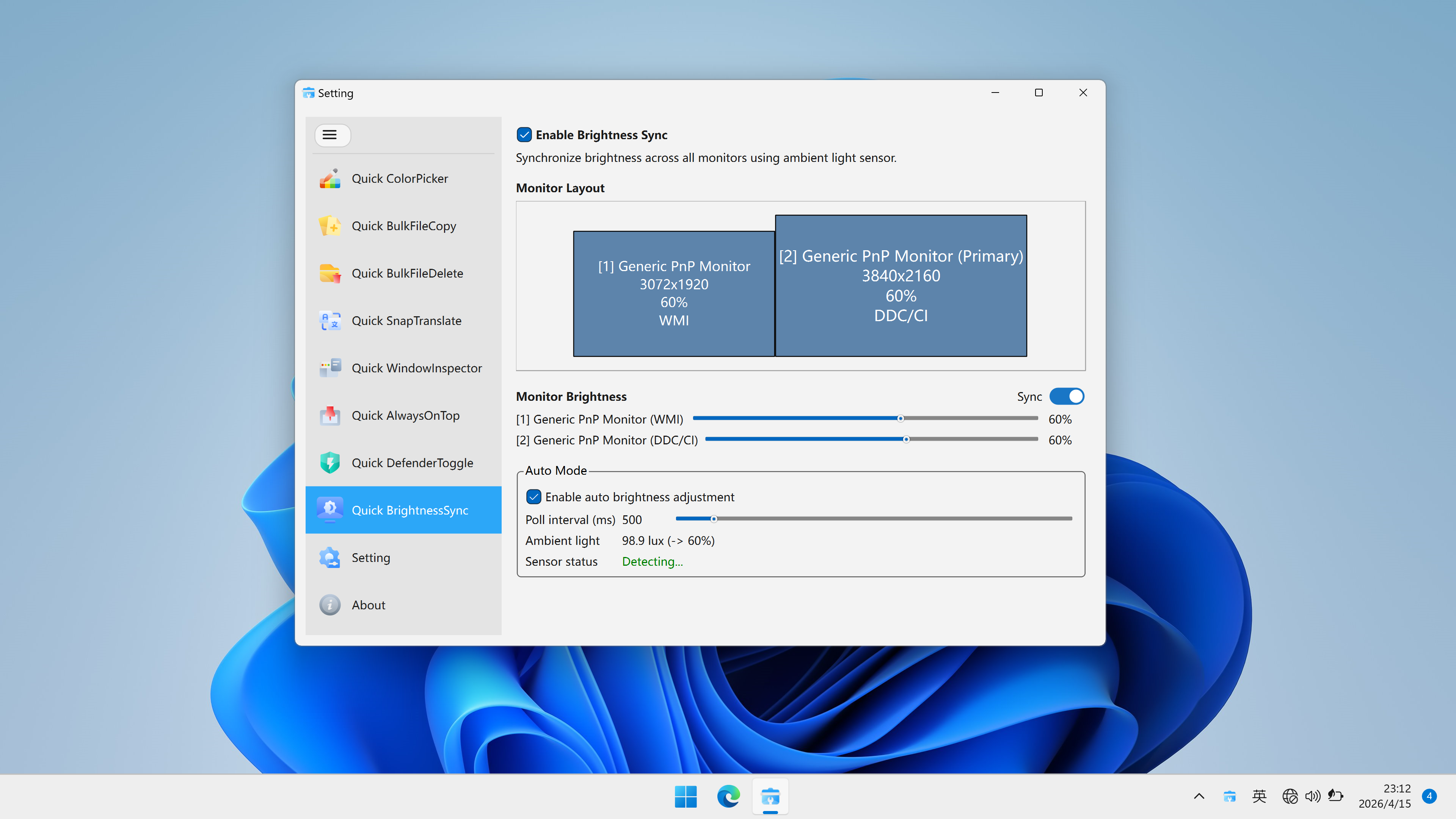
Quick BrightnessSync · Interface Preview
Why it stands out
True hardware brightness control
Adjust actual monitor backlight levels instead of relying on a software overlay that only darkens the image.
One control surface for multiple displays
Bring several supported external monitors into alignment in seconds and keep the workspace visually consistent.
Quiet, lightweight daily use
Keep it available in the tray so brightness changes stay quick and unobtrusive.
Where it fits best
Developers and technical users
Move between bright dashboards, terminals, IDEs, and documentation without re-adjusting every display manually.
Analysts, trading desks, and operations
Maintain a comfortable visual setup as ambient light shifts through the day.
Design and content teams
Review layouts, presentations, and visual systems with steadier display behavior across multiple screens.
Also worth pairing with Quick AlwaysOnTop
Quick BrightnessSync improves display comfort. Quick AlwaysOnTop improves multitasking flow. Together, they create a cleaner desktop experience for users who work across many windows and many hours.
Compatibility note
Quick BrightnessSync depends on DDC/CI support from the monitor and the connection path. Some docks, hubs, or adapters may block hardware commands. If a display does not respond, test it with a direct HDMI or DisplayPort connection first.