
Quick ColorPicker
Capture the exact on-screen color you need without breaking your creative flow.
Precision for design and implementation work
Quick ColorPicker gives designers, developers, and visual teams a clean way to inspect pixels, confirm color choices, and copy values in the format they need. The magnifier, fine cursor control, and multi-monitor support help you move from reference to action with less friction.
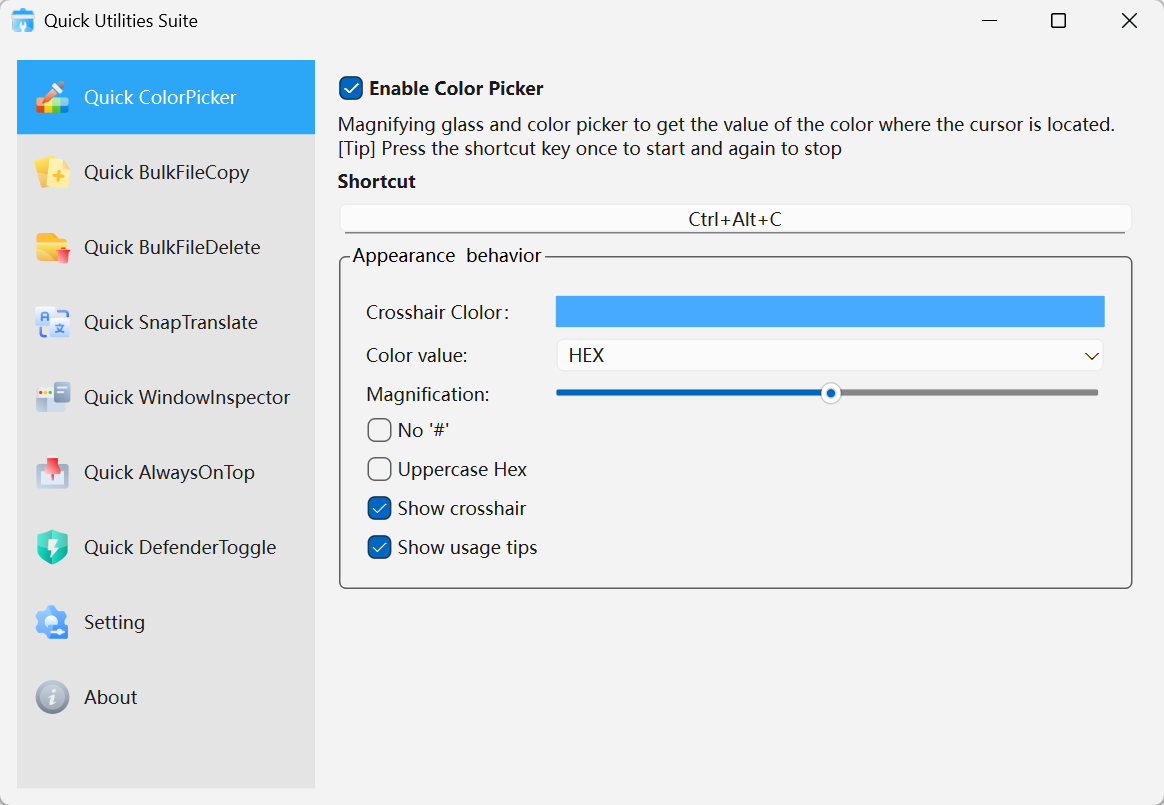
Quick ColorPicker · Interface Preview
Why it feels production-ready
Pixel-level targeting
A live magnifier shows exactly what sits beneath the cursor so you can sample with confidence.
Output that fits real workflows
Copy color values in practical formats such as HEX and RGB for design handoff or implementation.
Fast activation when timing matters
Launch with a shortcut, adjust with the keyboard, and capture the value without changing tools.
Where it fits naturally
UI and brand design
Sample colors from mockups, product references, and visual systems while maintaining consistency.
Front-end engineering
Check whether implemented colors match design intent without opening a separate inspection workflow.
Creative production
Build palettes from screenshots, media, and live interfaces as you work.
Get started in seconds
Launch the picker
Open Quick ColorPicker or trigger it from a global shortcut.Move to the target pixel
Use the magnifier and fine controls to settle on the exact area you want.Copy the value
Confirm the capture and send the chosen color format directly to the clipboard.